Micro Frontends with Next.js Multi Zones

# Introduction
When we're developing a Web application and it ends up scaling, we usually need a team. When that application scales even more, we need more teams working on the same application.
Why am I talking about this?
Because usually when we have many people changing the same project, we can have several problems. Whether it's many Pull Requests, differences in scopes, distinct business rules, merge conflicts and even differences of opinion.
When this happens what we usually think about is separating a piece of it into another project and creating the famous Micro Frontend that will speed up our deliveries and ensure the project evolves faster and independently of other scopes.
Which makes development much easier!
With that, the Next.js team created an advanced feature called Multi Zones, with it we can create several Micro Frontends very quickly and simply using Next.js
# Prerequisites
Before continuing to read this article, I assume you have basic knowledge / familiarity with Next.js
# What We're Going to Do
By the end of this article we'll make 2 apps with Next.js, combine them using the Multi Zones feature. I'll also make a part 2 showing how to deploy the 2 applications on Vercel.
# Creating the Project Folder
Open your terminal/cmd and run the following command:
mkdir nextjs-multi-zones-post
cd nextjs-multi-zones-post
Right after open that same folder in your preferred editor! (back then it was VSCode 💩, nowadays it's Neovim/VIM ❤️)
# Creating the Projects
After entering the folder that will centralize our projects, it's time to create them!
# First Application - Home
Open your terminal there and write the following command to create the first project which will be our HOME:
npx create-next-app --ts home
cd home
After creating the home, let's change the port that the project will run on to make our lives easier and have a standard until the end of the post
Open the package.json file inside your home and change the dev script from:
...
"scripts": {
    "dev": "next dev",
    ...
  },
...
to:
...
"scripts": {
    "dev": "next dev -p 4444",
    ...
  },
...
Open your terminal in the same folder and run the following command to execute the application:
npm run dev
# Second Application - Blog
Open another terminal and run the following command to create our second project which will be our BLOG:
npx create-next-app --ts blog
cd blog
We'll follow the same procedure we did for home now with the blog
Open the package.json file inside your blog and change the dev script from:
...
"scripts": {
    "dev": "next dev",
    ...
  },
...
to:
...
"scripts": {
    "dev": "next dev -p 7777",
    ...
  },
...
Open your terminal in the same folder and run the following command to execute the application:
npm run dev
Done, now we have the 2 applications running and the result should be something like this:
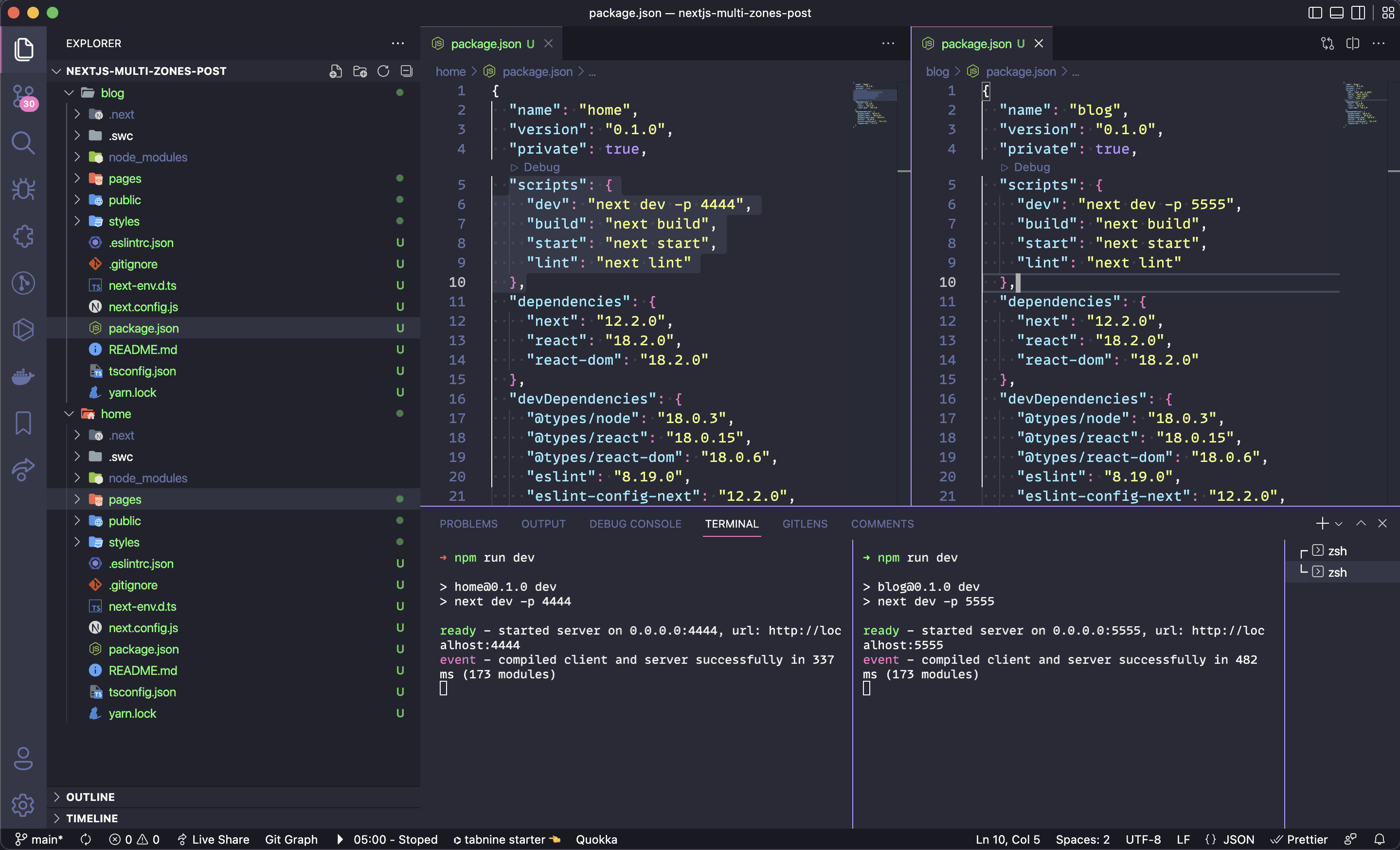
Home (Application 1) running on port http://localhost:4444 and the Blog (Application 2) running on port http://localhost:7777
# Configuring Home (Application 1)
The first project we're going to develop and configure will be Home which besides being the base project will also be our Home. It's in it where we'll configure the URLs that we'll rewrite so that the Micro Frontend and Multi Zones work.
Open the next.config.js file and add the following lines of code:
const { BLOG_URL } = process.env

const nextConfig = {
  async rewrites() {
    return [
      {
        source: '/:path*',
        destination: `/:path*`,
      },
      {
        source: '/blog',
        destination: `${BLOG_URL}/blog`,
      },
      {
        source: '/blog/:path*',
        destination: `${BLOG_URL}/blog/:path*`,
      },
    ]
  },
}
In the rewrites part it's basically a rewrite, we'll rewrite the /blog routes and everything that comes after, like /blog/posts/hello-world. To learn more about rewrites just access the official Next.js documentation.
And you can see that we also added a constant using destructuring on the process.env object to get the blog URL via environment variables.
Now let's create the .env file at the root of our home project as shown in the example below.
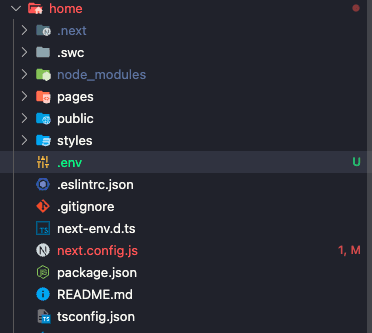
It's in it where we'll put the BLOG_URL pointing to http://localhost:7777 which is where our blog project is running.
.env
BLOG_URL=http://localhost:7777
Now inside our home project we'll transform the index.tsx into this:
import type { NextPage } from 'next'
import Head from 'next/head'
import Image from 'next/image'
import Link from 'next/link'
import styles from '../styles/Home.module.css'
const Home: NextPage = () => {
return (
<div className={styles.container}>
<Head>
<title>Next.js Blog With Multi Zones</title>
<meta name="description" content="Generated by create next app" />
<link rel="icon" href="/favicon.ico" />
</Head>
<main className={styles.main}>
<h1 className={styles.title}>
Welcome to <Link href="/">Home!</Link> :D
</h1>
<div className={styles.grid}>
<a href="/blog" className={styles.card}>
<h2>Go Blog →</h2>
<p>Click here and go home on our other Next.js app :D</p>
</a>
<Link href="/about" passHref>
<a href="/about" className={styles.card}>
<h2>About us →</h2>
<p>Click here and go to About Us page!</p>
</a>
</Link>
<a href="/blog/posts/hello-hello" className={styles.card}>
<h2>Go to Hello post →</h2>
<p>Click here and go to the Hello Hello post</p>
</a>
</div>
</main>
<footer className={styles.footer}>
<a
href="https://vercel.com?utm_source=create-next-app&utm_medium=default-template&utm_campaign=create-next-app"
target="_blank"
rel="noopener noreferrer"
>
Powered by{' '}
<span className={styles.logo}>
<Image src="/vercel.svg" alt="Vercel Logo" width={72} height={16} />
</span>
</a>
</footer>
</div>
)
}
export default Home
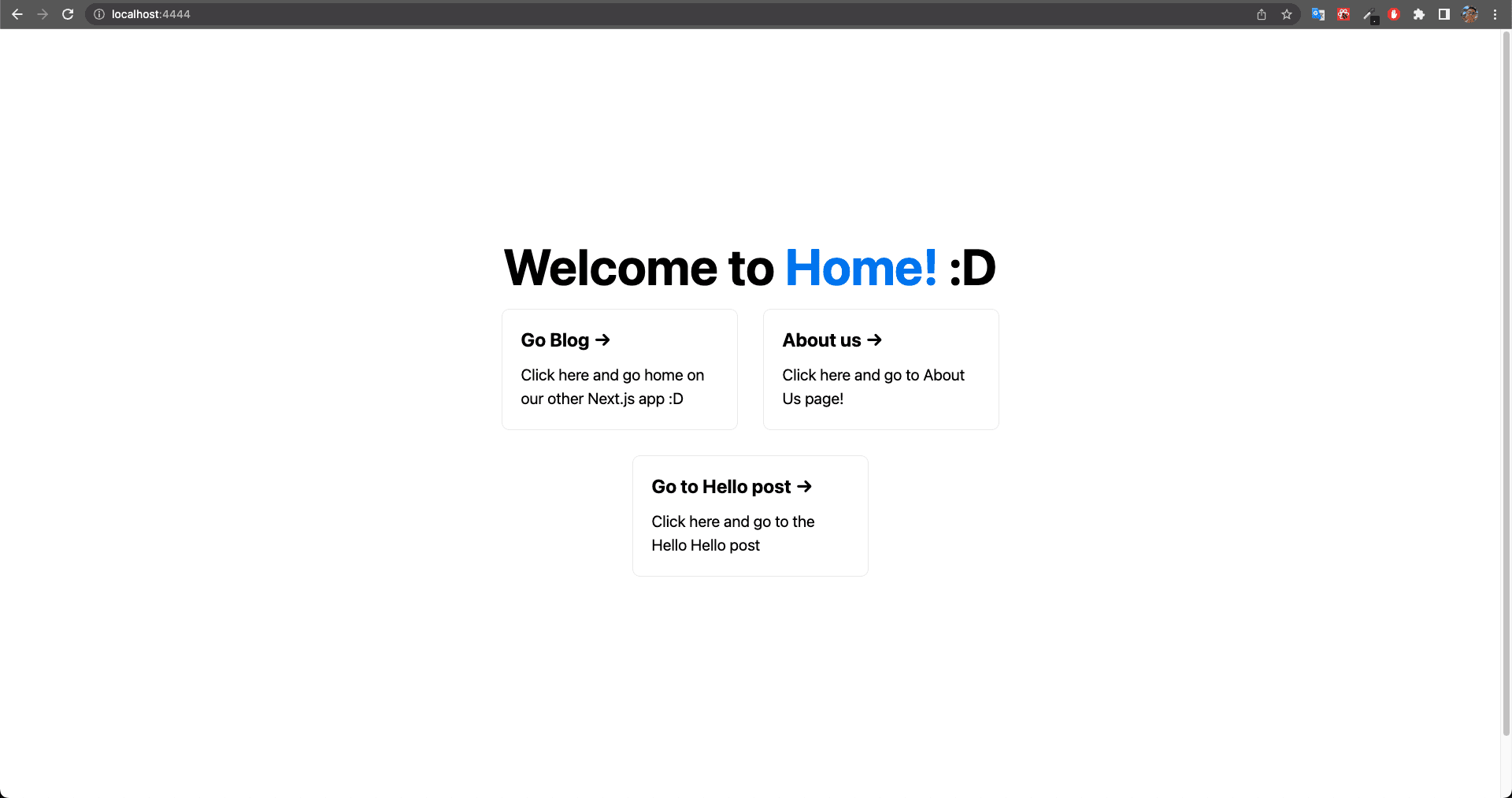
Basically we added 3 links, 2 of them to pages of our blog (not yet built) and 1 link to redirect to an internal page of ours which is About Us.
Now let's create the about.tsx file inside home/pages/about.tsx:
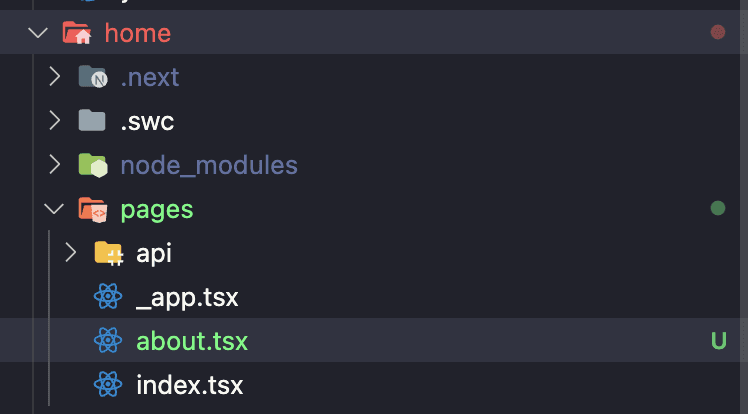
about.tsx
import type { NextPage } from 'next'
import Link from 'next/link'

const About: NextPage = () => {
  return (
    <div>
      <p>About us :O</p>
      <hr />
      <div>
        <Link href="/">
          <a>Go home</a>
        </Link>
      </div>
    </div>
  )
}

export default About
Here we created a very simple about us page that just has some text and a link that takes us back home.
And so we finish the Home part. Now let's go to Blog!
# Configuring Blog (Application 2)
Now we'll configure the blog. In the blog it'll be a bit simpler, basically we'll open the next.config.js file and add the basePath property inside nextConfig, it will tell next that its base URL will start at the address we choose, which in this case will be /blog
next.config.js
const nextConfig = {
  basePath: '/blog',
}

module.exports = nextConfig
Remember that every time we change the next.config.js file or add something to .env we need to stop the server and start it again 😁
Now inside our blog project we'll transform the index.tsx into this:
import type { NextPage } from 'next'
import Head from 'next/head'
import Image from 'next/image'
import Link from 'next/link'
import styles from '../styles/Home.module.css'
const Blog: NextPage = () => {
return (
<div className={styles.container}>
<Head>
<title>Next.js Blog With Multi Zones</title>
<meta name="description" content="Generated by create next app" />
<link rel="icon" href="/blog/favicon.ico" />
</Head>
<main className={styles.main}>
<h1 className={styles.title}>
Welcome to <Link href="/">Blog!</Link>
</h1>
<div className={styles.grid}>
<a href="/" className={styles.card}>
<h2>Go Home →</h2>
<p>Click here and go home on our other Next.js app :D</p>
</a>
<Link href="/posts/it-works" passHref>
<a href="/blog/posts/it-works" className={styles.card}>
<h2>Go to It Works post →</h2>
<p>Click here and go to the It Works post</p>
</a>
</Link>
<Link href="/posts/hello-hello" passHref>
<a href="/blog/posts/hello-hello" className={styles.card}>
<h2>Go to Hello post →</h2>
<p>Click here and go to the Hello Hello post</p>
</a>
</Link>
</div>
</main>
<footer className={styles.footer}>
<a
href="https://vercel.com?utm_source=create-next-app&utm_medium=default-template&utm_campaign=create-next-app"
target="_blank"
rel="noopener noreferrer"
>
Powered by{' '}
<span className={styles.logo}>
<Image
src="/blog/vercel.svg"
alt="Vercel Logo"
width={72}
height={16}
/>
</span>
</a>
</footer>
</div>
)
}
export default Blog
At the root of our blog we have 1 link that leads to our Home and 2 links that lead us to posts in our blog
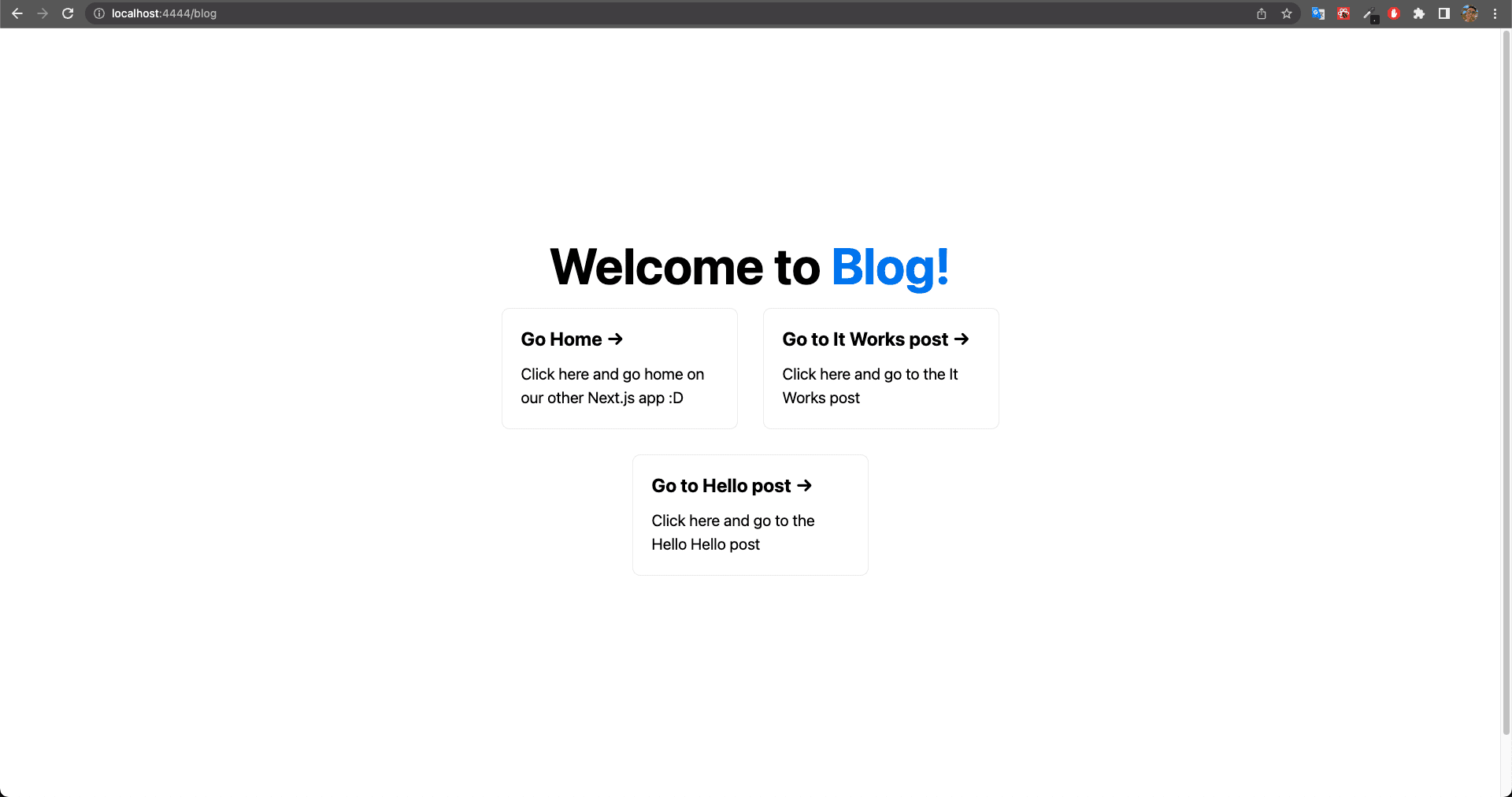
In the image above you can already see the magic happening, if you look at the URL you'll notice we're running on http://localhost:4444/blog, but why does this happen?
When we configured the basePath inside the Blog project's next.config.js, we tell next that index.tsx and all other files will always be accessed from our basePath which in this case is /blog.
We should also remember that in our Home project's next.config.js we configured that whenever we're on http://localhost:4444 and access /blog or anything after blog, we'll be doing a route rewrite and pointing to our Blog via Home.
In other words: http://localhost:4444/blog will point to http://localhost:7777/blog
The most amazing thing about all this is that we can access our other application (blog) inside our application (home) without changing the URL 🤯, isn't that impressive?
Cover Image: Photo by Andrey Tikhonovskiy on Unsplash