How to Configure Turborepo Deployment on Netlify

The other day I faced a challenge deploying one of my applications using Turborepo with Next.js and since I believe more people might have this problem, I decided to make a guide on how to do the initial configurations, let's go?
# Setup / Initial Configurations
Well first let's start with the basics, create an application using Turborepo, which is quite simple, just execute this command below in the terminal :)
npx create-turbo@latest
And then something like this will probably appear:
Need to install the following packages:
  create-turbo@1.2.16
Ok to proceed? (y)
Just press enter ⏎ or y and it will download this dependency so you can create the project in a much simpler way. Right after you'll see something like this:
>>> TURBOREPO

>>> Welcome to Turborepo! Let's get you set up with a new codebase.

? Where would you like to create your turborepo? (./my-turborepo)
And in this case I pressed enter ⏎ to use the default name. Then it will ask you to use your preferred package manager:
? Which package manager do you want to use? (Use arrow keys)
❯ npm
  pnpm
  yarn
I chose npm to make things easier for you :D
After all this you'll probably have something like this on your screen:
>>> TURBOREPO

>>> Welcome to Turborepo! Let's get you set up with a new codebase.

? Where would you like to create your turborepo? ./my-turborepo
? Which package manager do you want to use? npm

>>> Creating a new turborepo with the following:

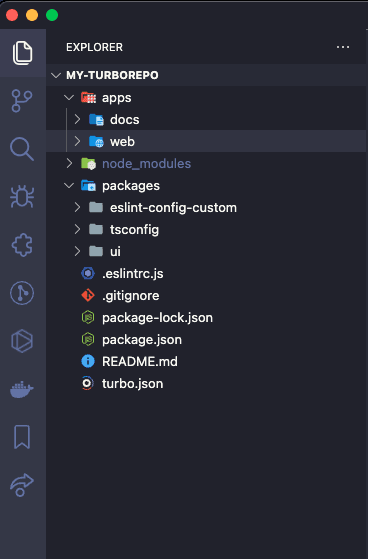
 - apps/web: Next.js with TypeScript
 - apps/docs: Next.js with TypeScript
 - packages/ui: Shared React component library
 - packages/eslint-config-custom: Shared configuration (ESLint)
 - packages/tsconfig: Shared TypeScript `tsconfig.json`

>   Installing dependencies...
And finally everything will be beautifully installed and we can move on to the interesting part. 😎.
Let's open the folder with our preferred code editor (in my case it's VSCode) and when we open it we'll have something like this in the folder structure:
# Creating Netlify Configuration File
After verifying that everything is correct, let's create a file called netlify.toml inside ./apps/web
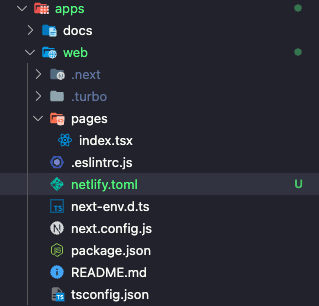
And inside netlify.toml we'll put the following code:
[build]
  command = "cd ../.. && npm install && npm run build"
  publish = ".next"

[[plugins]]
  package = "@netlify/plugin-nextjs"
Okay, but what's this for?
Well, this is basically the configuration file that Netlify looks at before deploying.
The [build] is the step that Netlify looks at to know how to build
The [[plugins]] is the step where before building it installs some plugins that will make deployment easier internally. In our case it's extremely important to add the Next.js plugin to avoid any complications when it creates the internal cache and uses Next's SSR and Edge Functions.
After this is configured we'll make a commit to our repo so we can push it to a GitHub repo and do the actual deployment. In the commit below notice that I'm using a famous convention for commits which is conventional commits leave a comment if you want me to bring something related to commit standards :)
git add .
git commit -m "build(web): adding Netlify configuration file"
Once the commit is done we now need to create a repo on GitHub to set the remote and be able to push
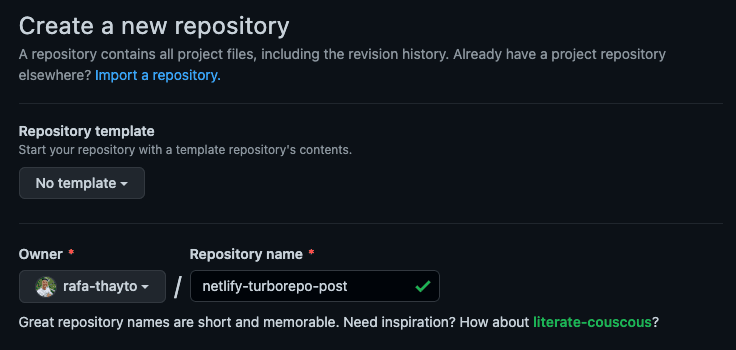
Here I created the repo with the name netlify-turborepo-post but you can give it whatever name you prefer.
After that the GitHub screen will open showing something like this
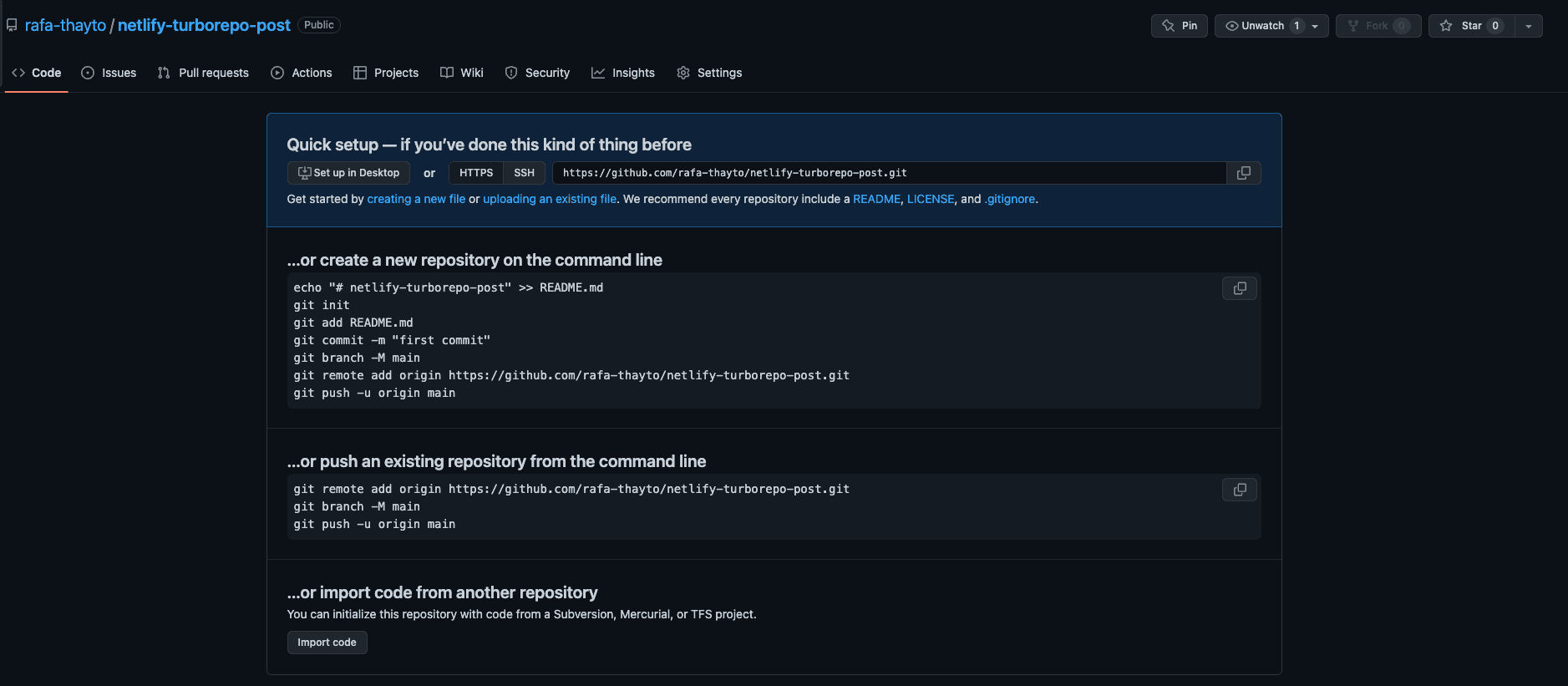
You'll copy the bottom part since we already have an existing repo

And then you'll paste it in our project's terminal, run the commands and voila ✨, we now have our code inside GitHub
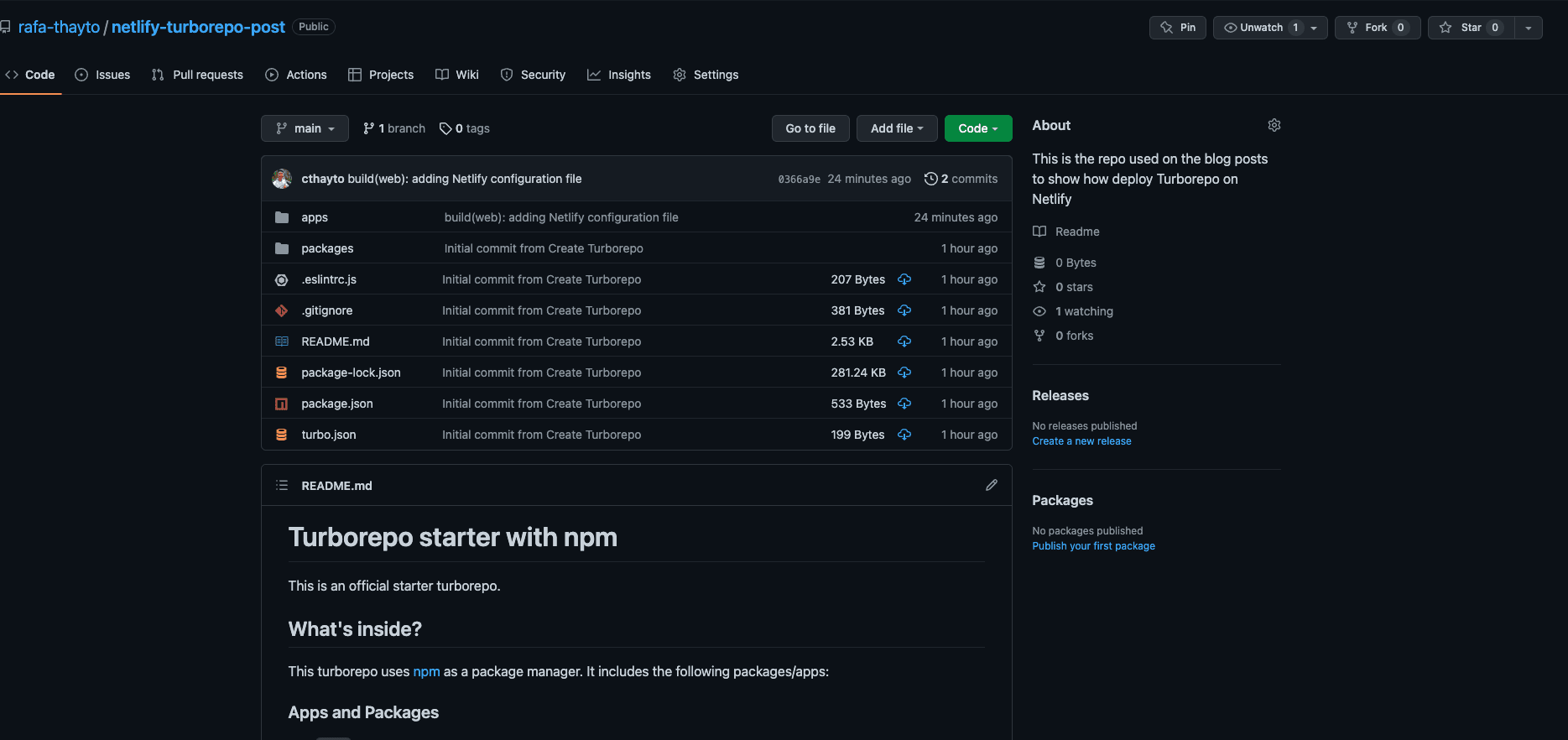
Well... after creating and pushing our code to GitHub, we can now go to Netlify for the final step 😁!
# Deploying Site on Netlify
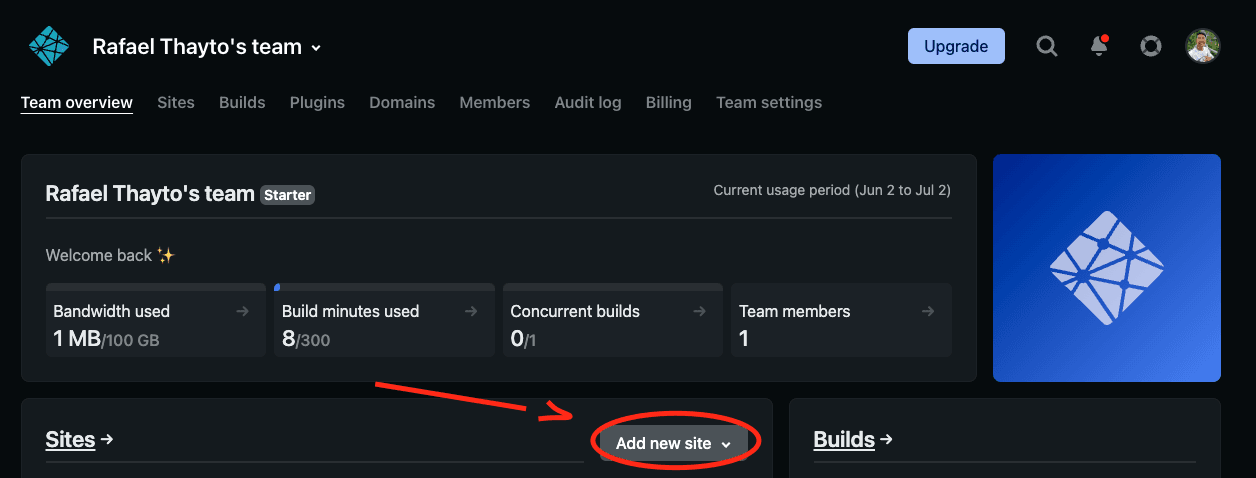
Open your Netlify account, then click on Add new site
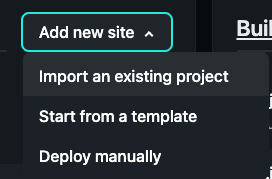
Select the Import an existent project option
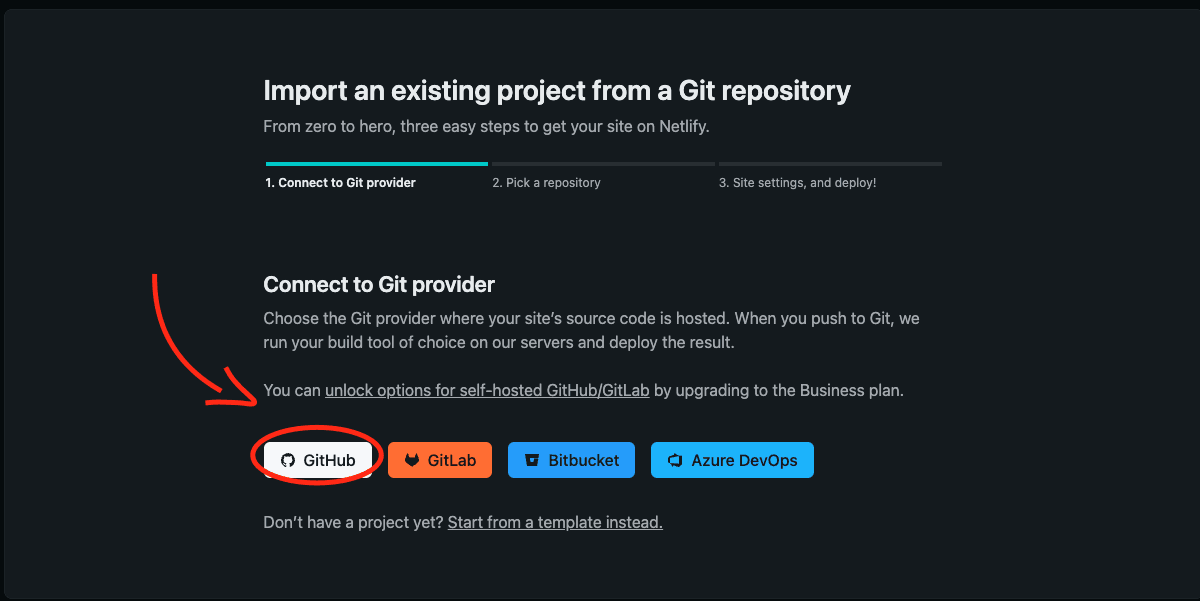
Select the GitHub provider
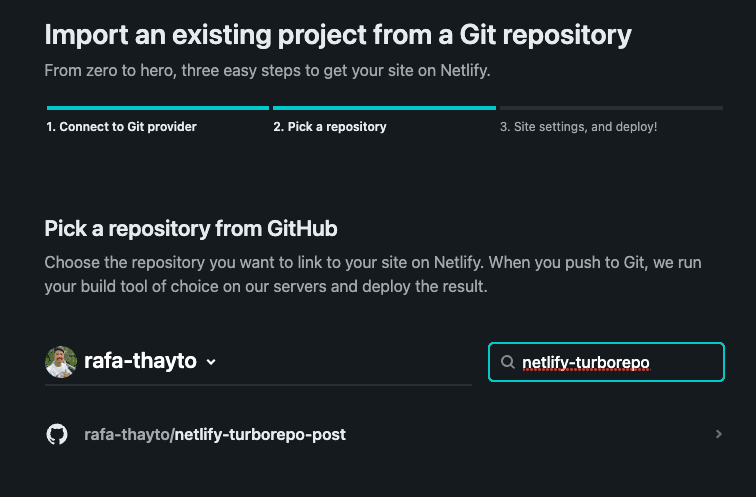
Search for the name you gave your project
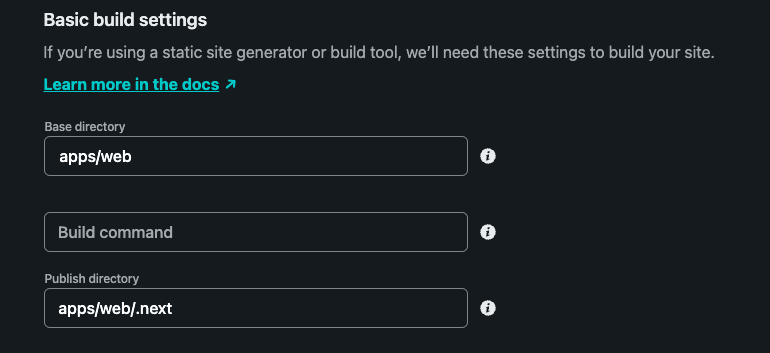
Then put these settings in the Basic build settings
Then just click deploy and wait 😎...
After a few minutes your site will be beautifully deployed on Netlify 😁🎆.
However it will look ugly like this, buttttt... changing that is up to you!

Deploy link: https://thayto-netlify-turborepo-post.netlify.app/
GitHub repository link: https://github.com/rafa-thayto/netlify-turborepo-post